Unlimited and GxP License Registration
Labrador Unlimited and GxP license purchases grant perpetual access to wireless connectivity features. These licenses require the Unlimited Edition of Labrador and are not redeemable in the Standard Edition. While the Unlimited Edition do not receive new features through auto-updates, optional bug fixes will still be available.
If you try to redeem an Unlimited or GxP license on the standard or Premium edition of Labrador, you will be redirected to install the correct edition for your license instead. 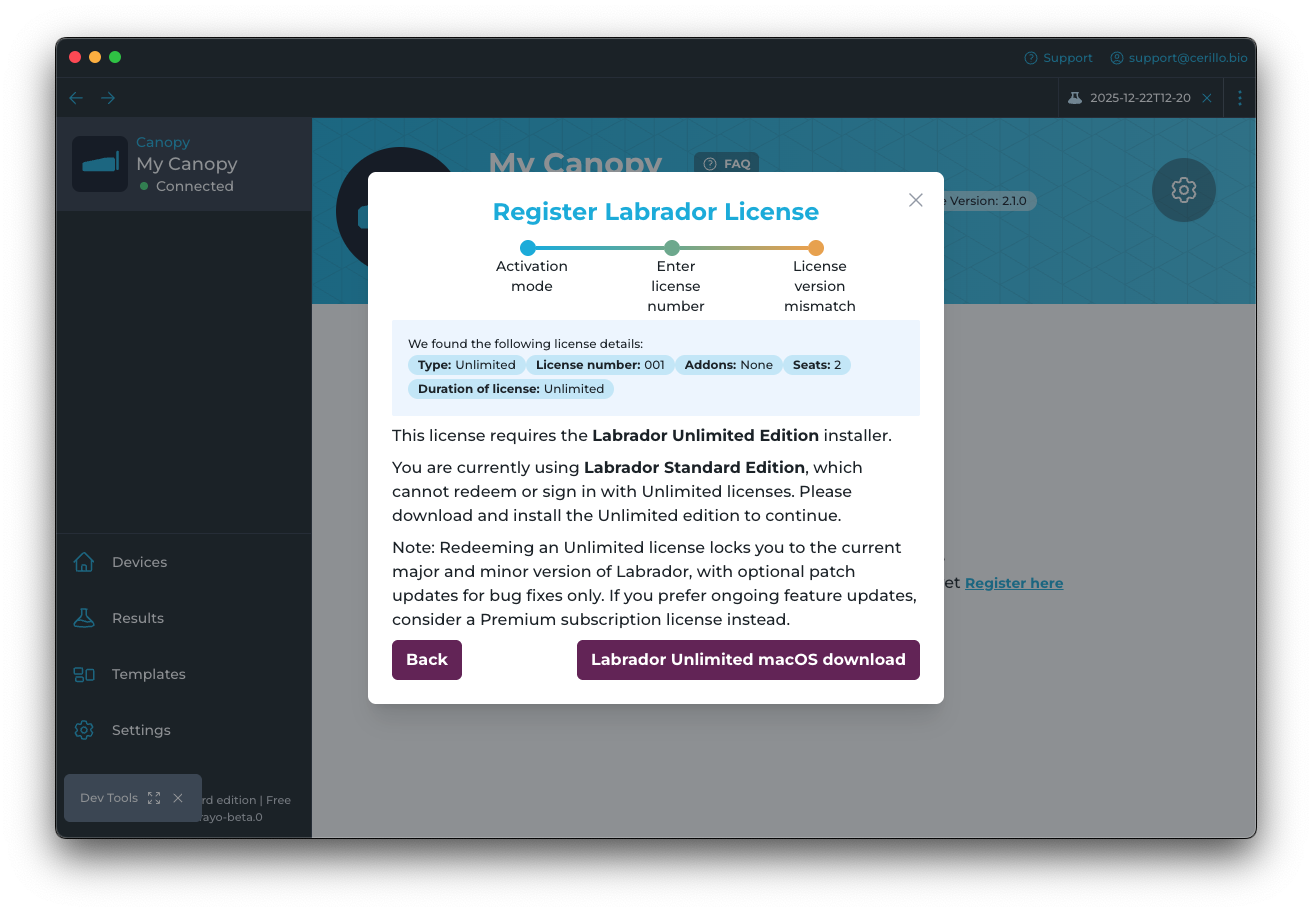 Please then follow the installation instructions for your operating system (Windows or macOS). You will also see this message if you try to log in or accept an invite to an organization that already has an unlimited license.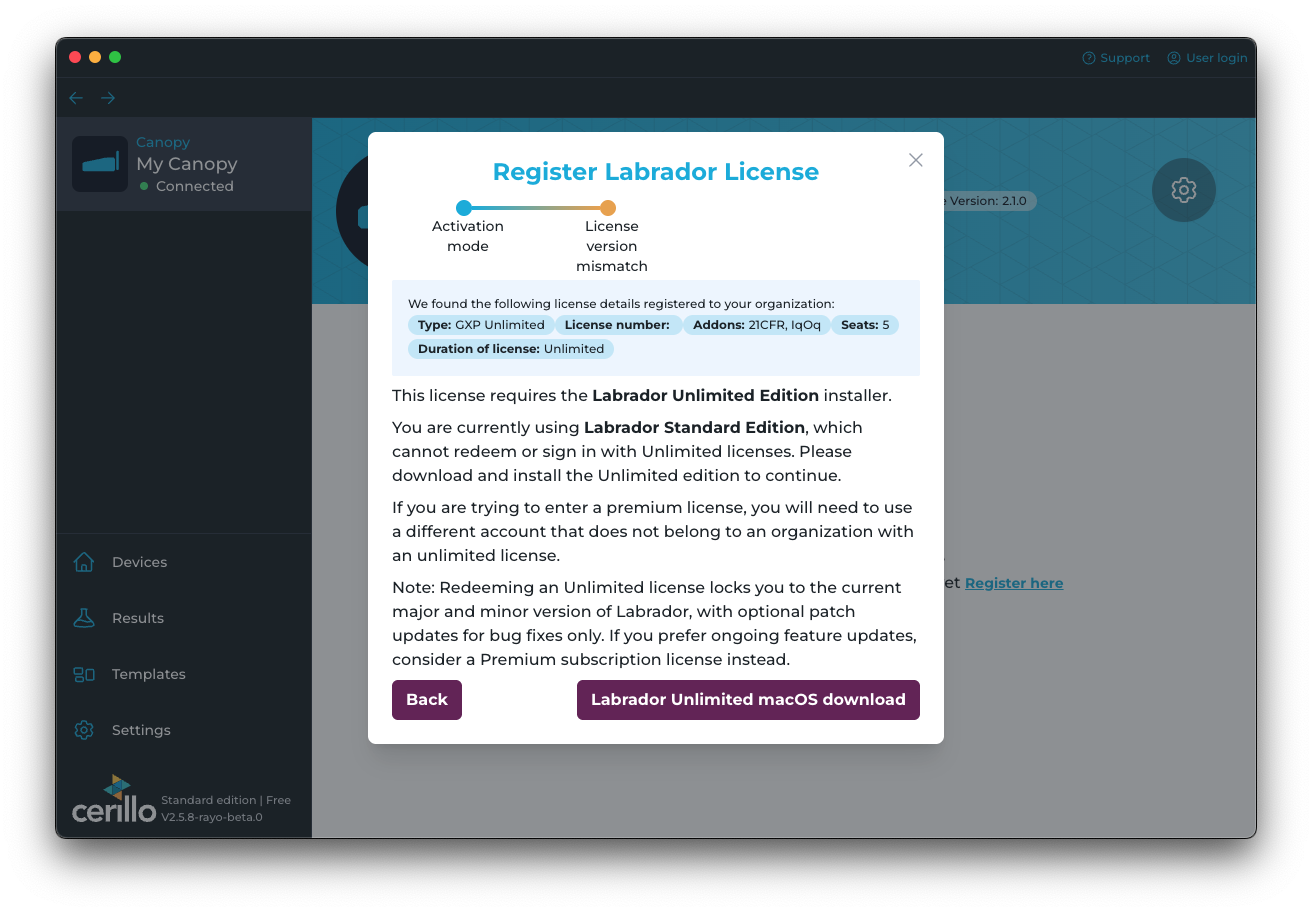
Labrador Unlimited Registration
The following steps apply to both Unlimited and GxP Labrador licenses. Both license types use the same registration process.
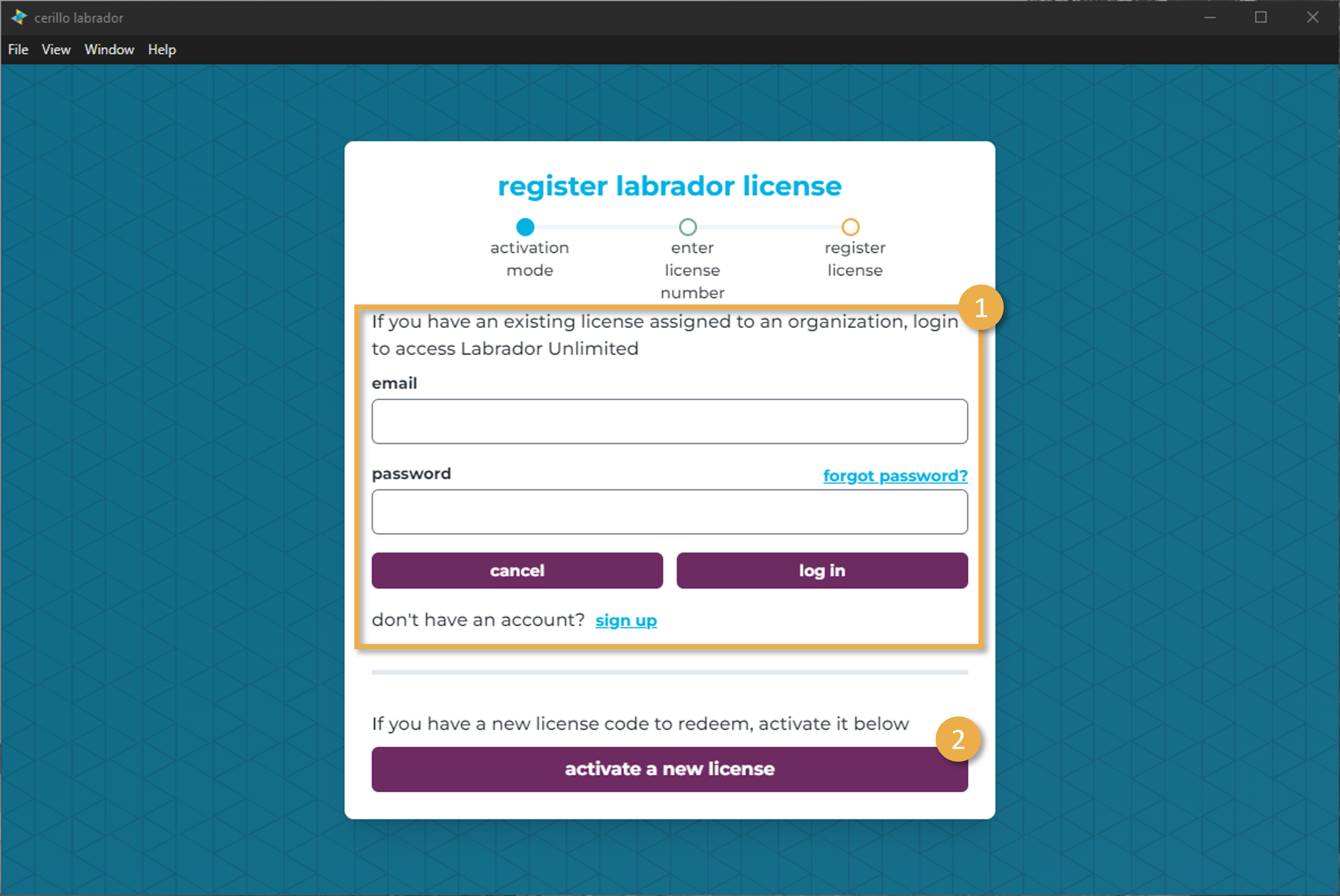
When you open Labrador Unlimited edition or any other yearly edition, you will see a registration form. For all new licenses to be redeemed, click “activate a new license” (2)
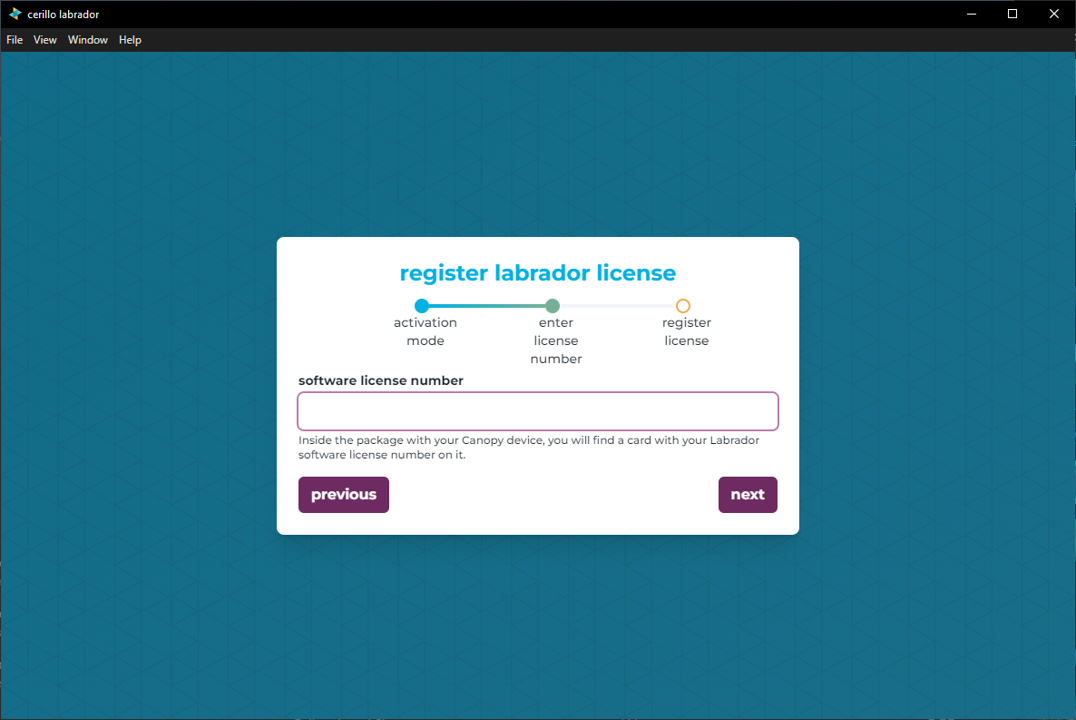
Enter license code received with your purchase of Labrador Unlimited/GxP in the Software License Number field. Typically these license numbers begin with “LAB” followed by 8 alphanumeric characters followed by “-UNL”
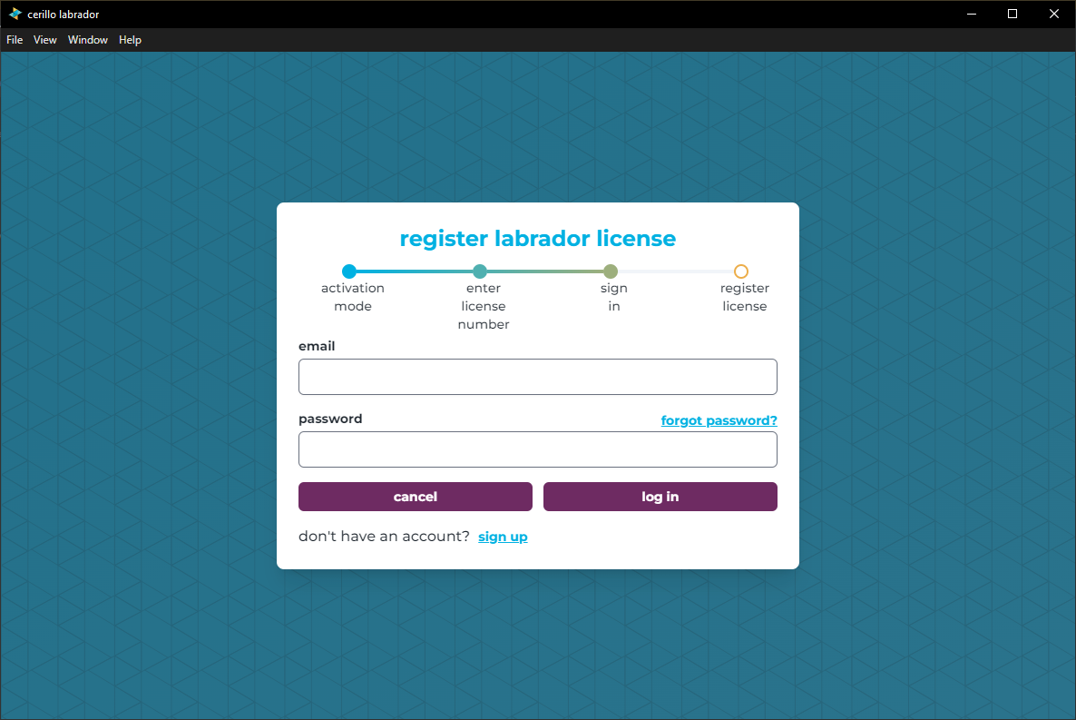
Log in or sign up for a new Cerillo account.
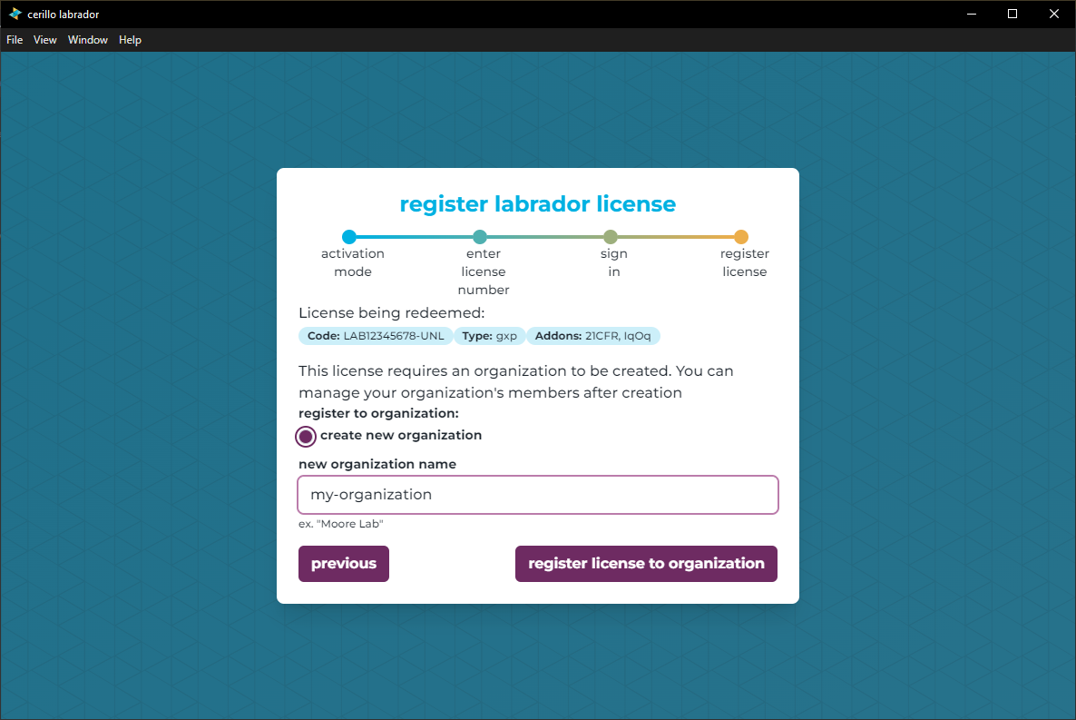
Confirm that the license information being redeemed matches what you purchased. Enter a new organization name you would like to assign your license to. You can add other users to the organization. Click Register to this organization to complete the registration.
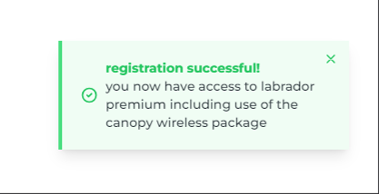
If the license number was correctly redeemed to your machine, you should see this popup in the bottom right of the application and the bottom left corner of the application should list Unlimited
Important
Redeeming an Unlimited license locks you to the current major and minor version of Labrador, with optional patch updates for bug fixes only. If you prefer ongoing feature updates, consider a Premium subscription license instead. When newer versions are released, we will provide an online license lookup tool to inform you of compatible Labrador versions. In the meantime, please use the latest unlimited installer below