Endpoint Experiment Wizard
When starting an experiment with either a Quick read or New experiment -> Endpoint experiment type, a wizard will appear to guide the user through calibrating the device prior to collecting the reading. Automated plate readers with a motor will typically have an Open device lid or Close device lid button for when a plate needs to be inserted or removed during this process. If you start a calibration or reading while the lid is open, a Lid is open dialog will appear. Click Close lid to close it before continuing, Read with open lid to continue anyway, or Cancel to go back. Note that, in most cases, device firmware will block calibrating when a lid is open.
The first step of the wizard checks if calibration is necessary.
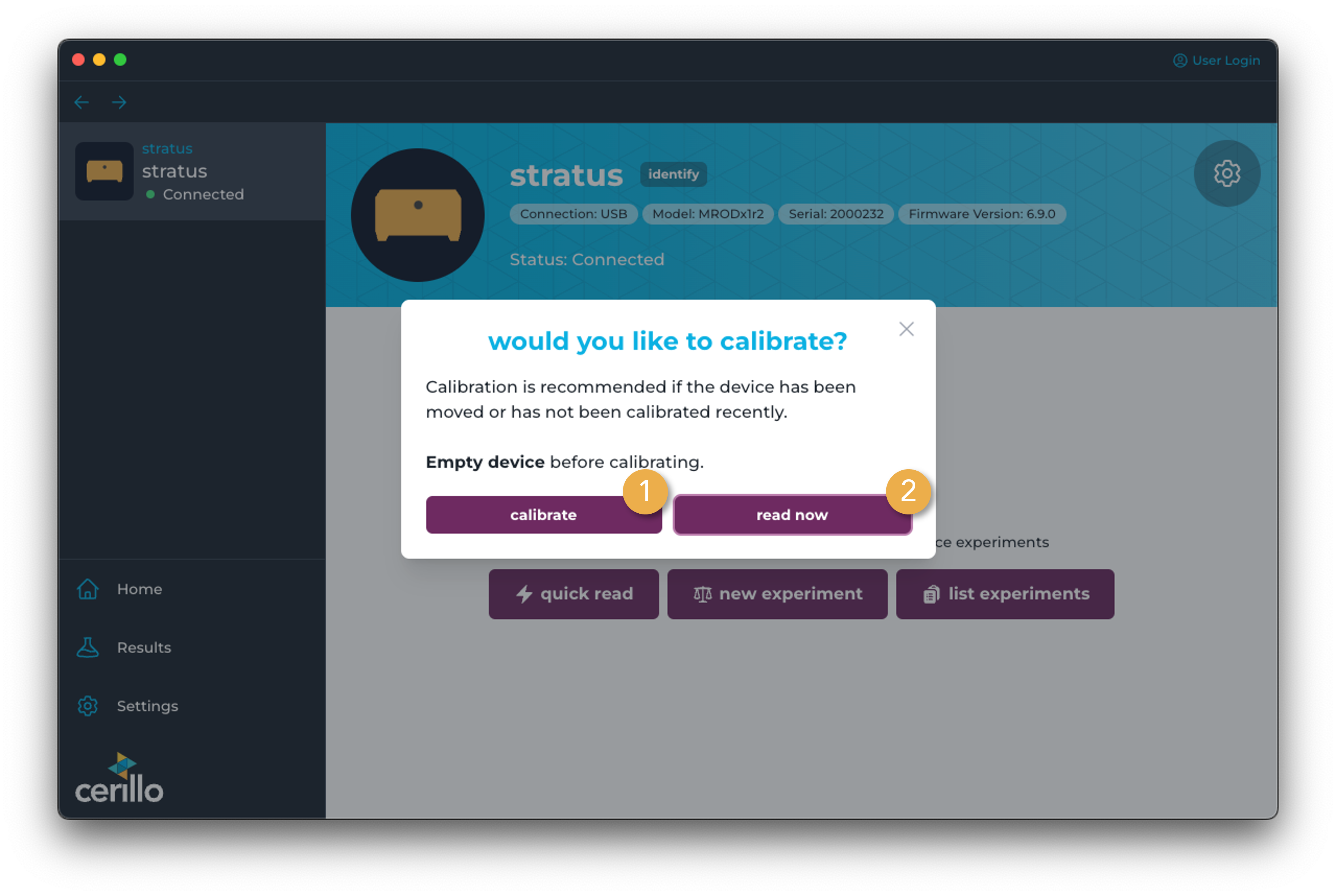
Number |
Element |
Description |
|---|---|---|
1 |
Calibrate |
Initiates process of calibrating device for an endpoint read. Ensure device is empty and does not contain a plate prior to running calibration. |
2 |
Read Now |
Start reading the plate immediately without calibrating first. |
After the device has been emptied and is ready to calibrate, calibration will take place.
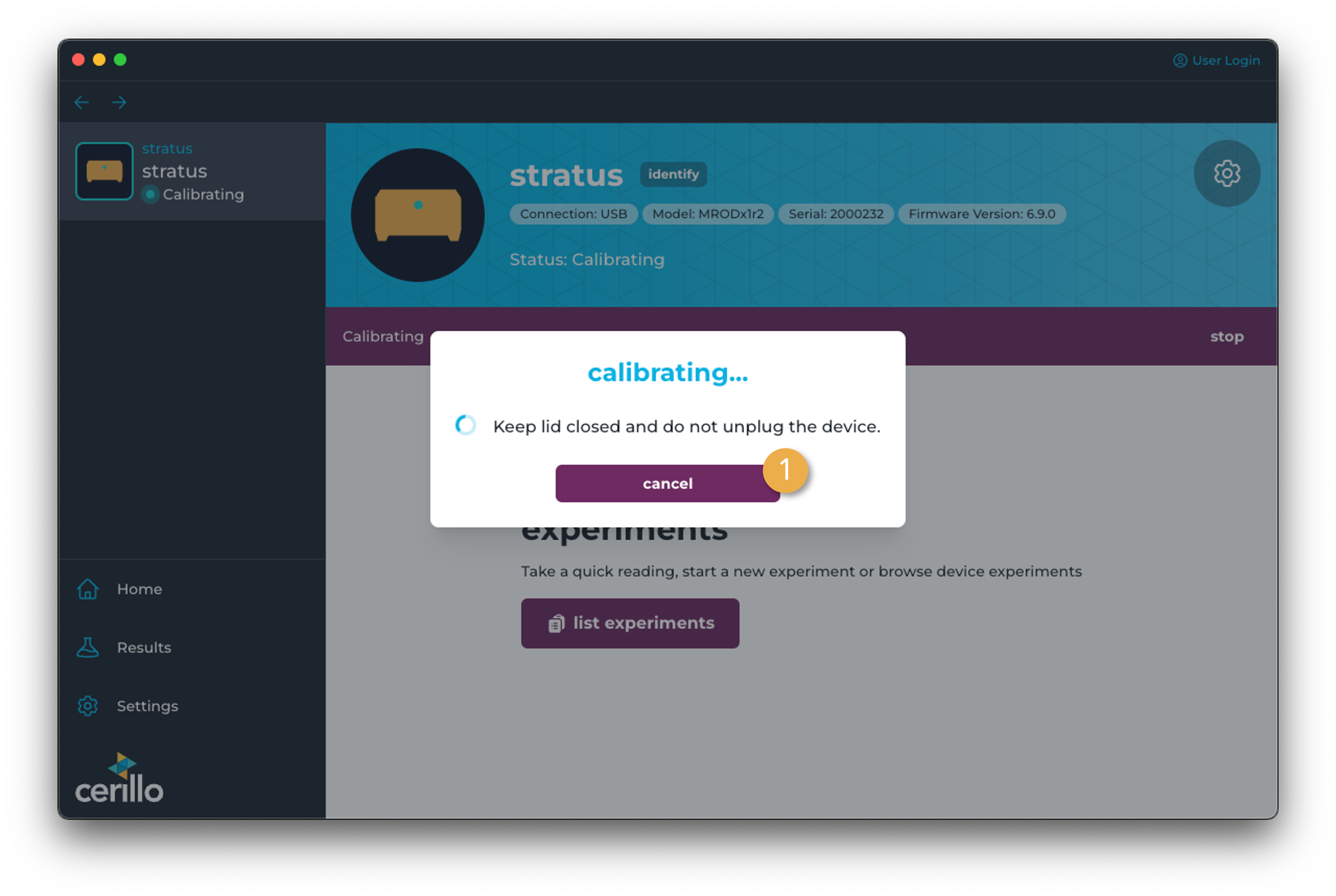
Number |
Element |
Description |
|---|---|---|
1 |
Cancel |
Cancels the experiment run. Ends calibration. |
Finally, the user can insert their sample into the reader and begin the experiment.
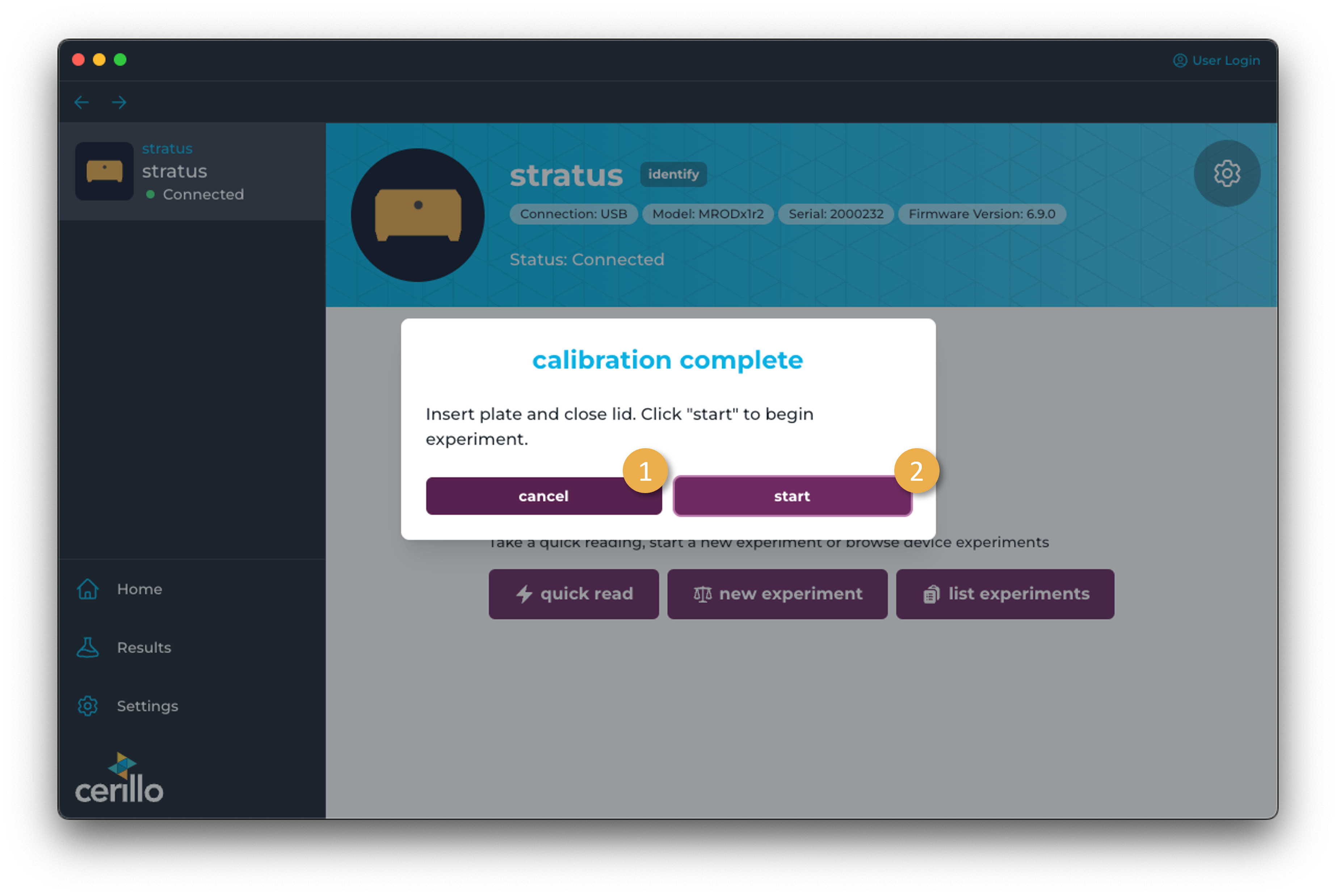
Number |
Element |
Description |
|---|---|---|
1 |
Cancel |
Cancels the experiment run. |
2 |
Start |
Start reading the sample. |