Settings
Application Settings
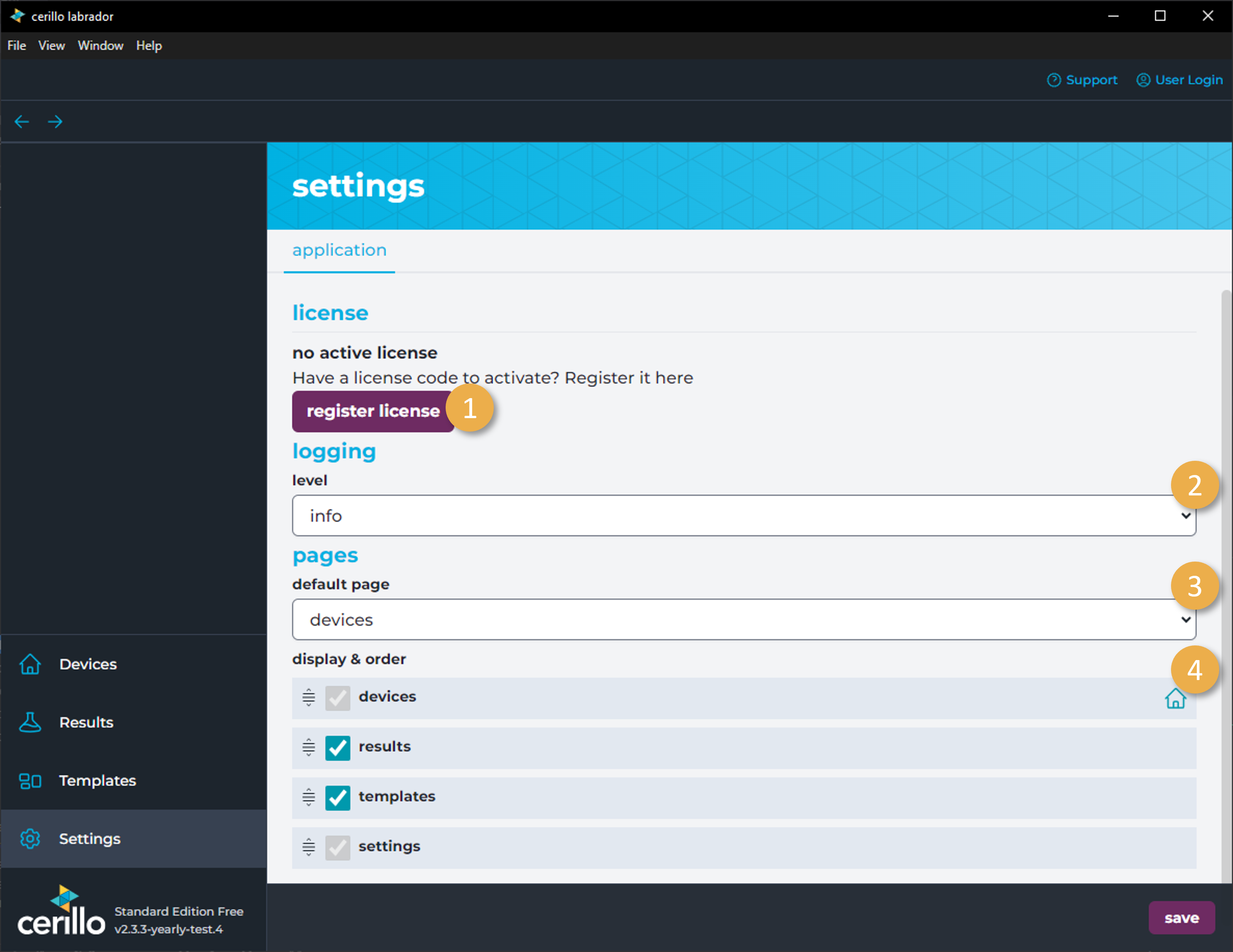
Number |
Element |
Description |
|---|---|---|
1 |
Register License |
Register a license code to your machine or organization. If a license is already registered to your machine, you can unregister it here |
2 |
Log Level |
Sets the log level in Labrador logs which can be opened from the View menu. Default: info. |
3 |
Enable icon cloud animation |
Check this to enable a cloud animation for plate reader icons. Default: off. |
4 |
Plate layout group color palette |
Sets default colors for newly added groups to a plate layout. Will not affect existing plate layout group colors for experiments or plate layout templates. Default: Classic (Blue, purple orange, teal, yellow, aqua). |
5 |
Default Page |
Page that opens on application startup. Default: Devices. |
6 |
Page Display & Order |
Hide pages and adjust their order in the navigation bar here. |
Organization Settings
Organization settings are available to organization administrators. From this page you can manage the members of your organization.
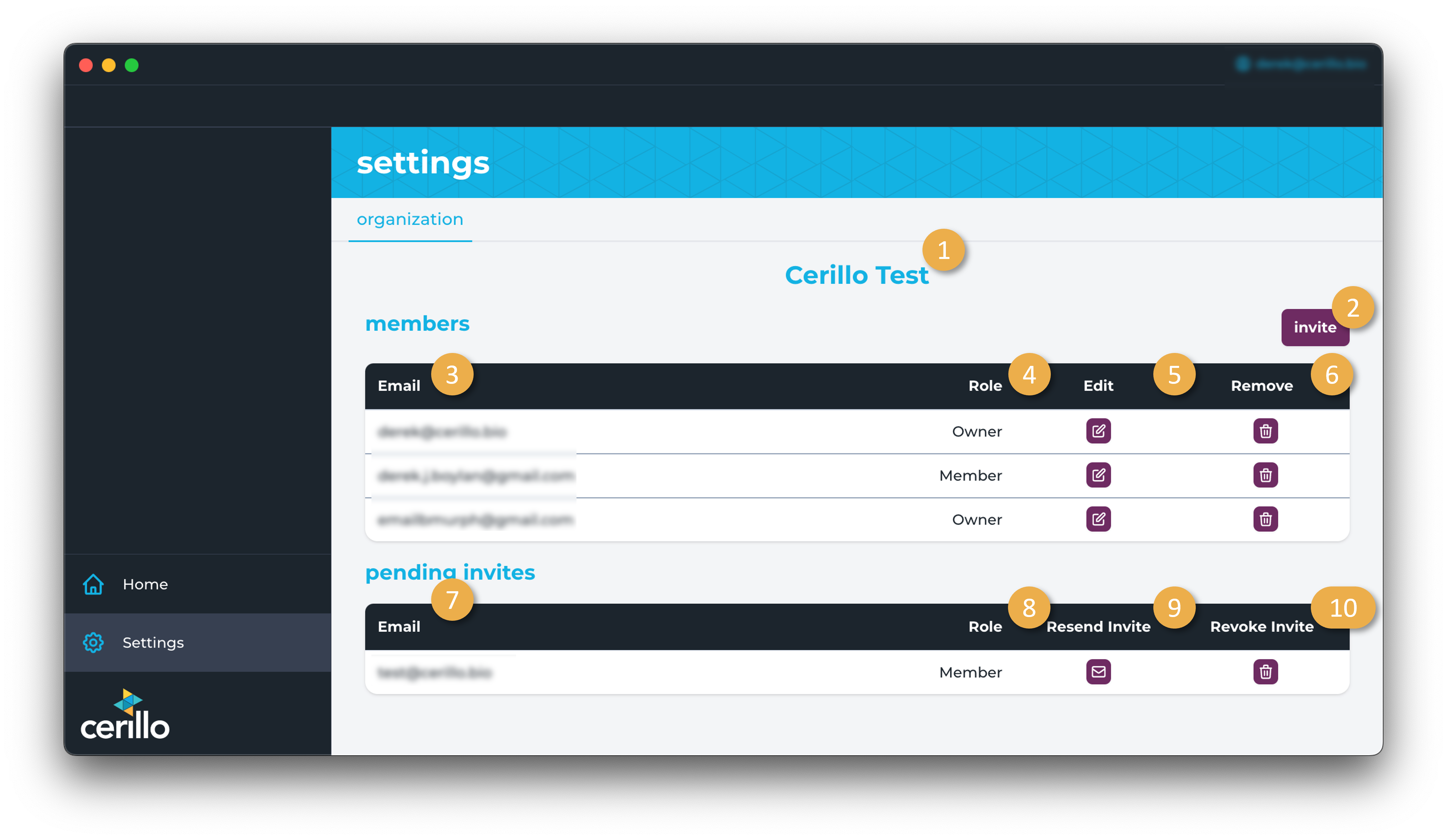
Number |
Element |
Description |
|---|---|---|
1 |
Organization Name |
Displays the organization name the user belongs to. |
2 |
Show inactive license |
If you have inactive licenses you can view them by clicking this button. |
3 |
Invite Button |
Opens up a dialog to invite users to the organization so that they can access the licensed features paid for by your organization. |
4 |
Member Email |
Members’ emails listed in this column |
5 |
Member Role |
Members’ role listed in this column |
6 |
Edit Role |
Opens dialog to make a change to this member’s role |
7 |
Reset Password |
This invalidates the user’s existing password and generates a reset password link where the user’s password can be reset. |
8 |
Remove Member |
Remove this member from your organization |
9 |
Pending Invite Email |
This column lists the email addresses that have been sent invitations to join your organization but have not yet accepted the invitation |
10 |
Pending Invite Role |
Role of the member pending invitation acceptance |
11 |
Resend Invite |
Send another email to this email address to remind them to join your organization |
12 |
Revoke Invite |
Revoke invitation to this email, preventing this email address from joining your organization |