Device with Outdated Firmware Dialog
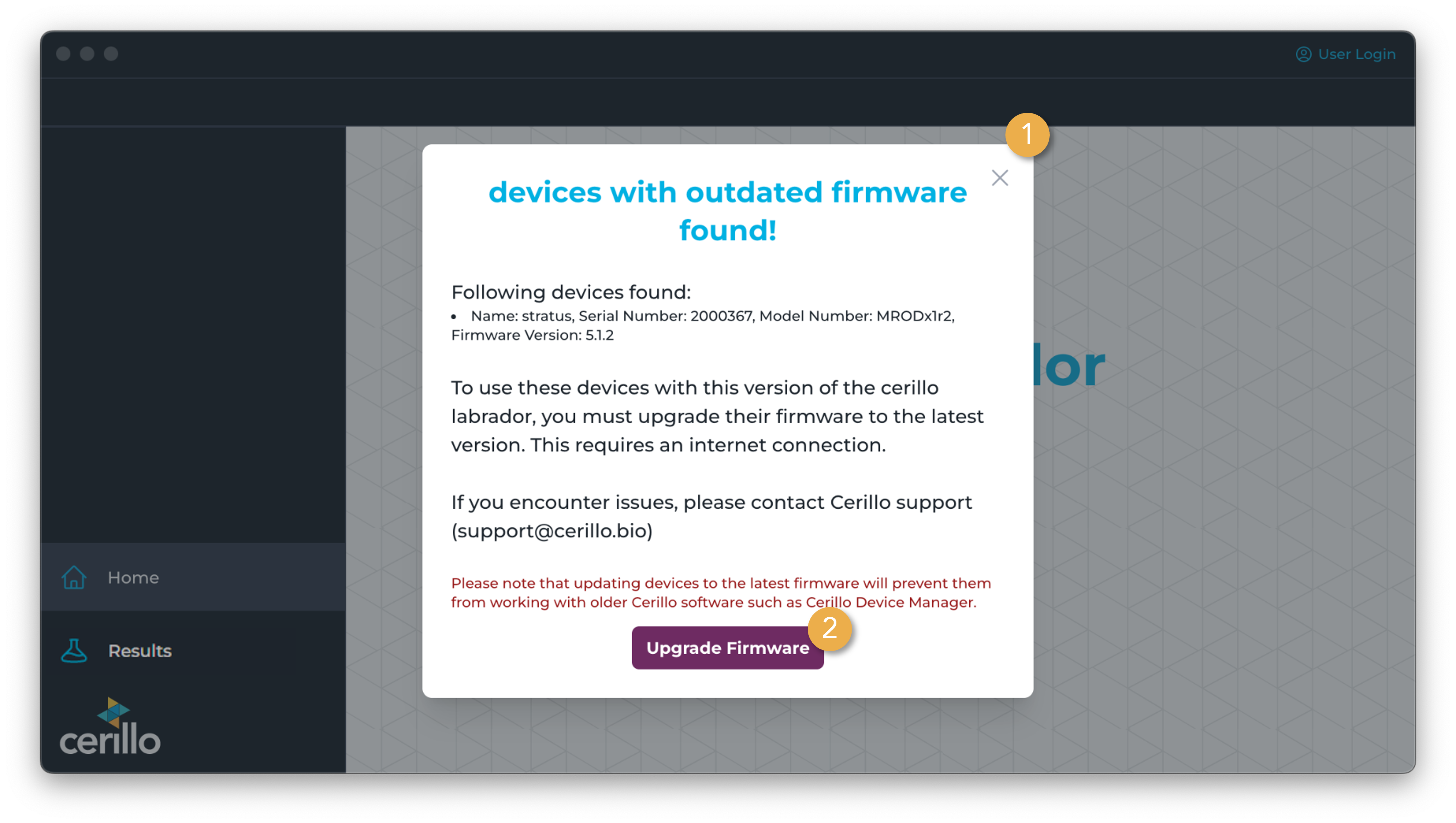
On initial application load, the application will search for Cerillo devices with firmware that is no longer compatible with the application. In order to use these devices with the application, their firmware must be upgraded.
If you have a Cerillo device you believe to have outdated firmware lower than v6.0.0, you may have to use Device Recovery to access your device in Labrador. Only devices purchased prior to 2022 should have firmware lower than v6.0.0.
Number |
Element |
Description |
|---|---|---|
1 |
Close button |
Closes the dialog, does not update any devices’ firmware |
2 |
Upgrade Firmware |
Every device specified in the dialog will be updated to the latest version of firmware available for that device |