Plate Mapping
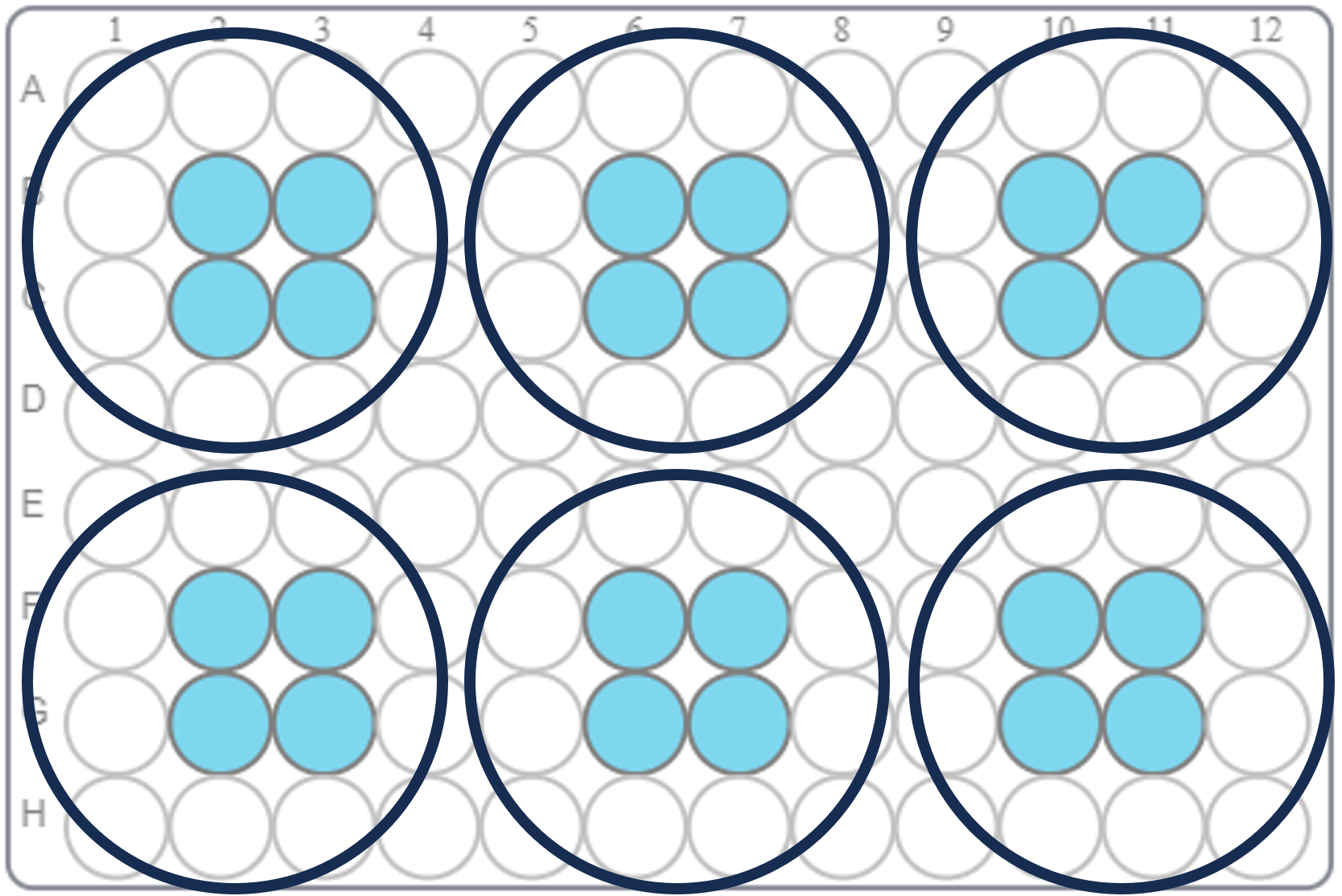
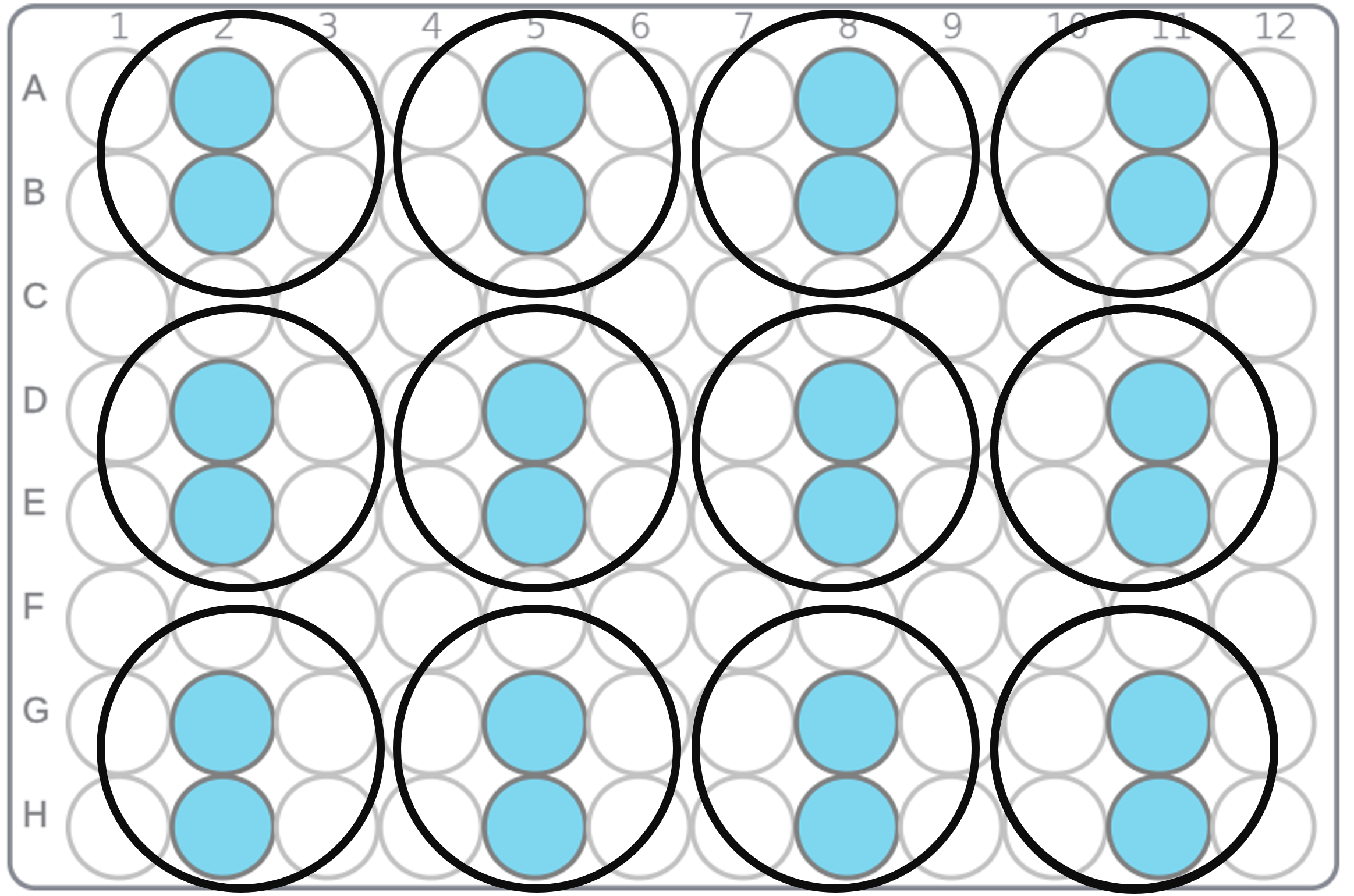
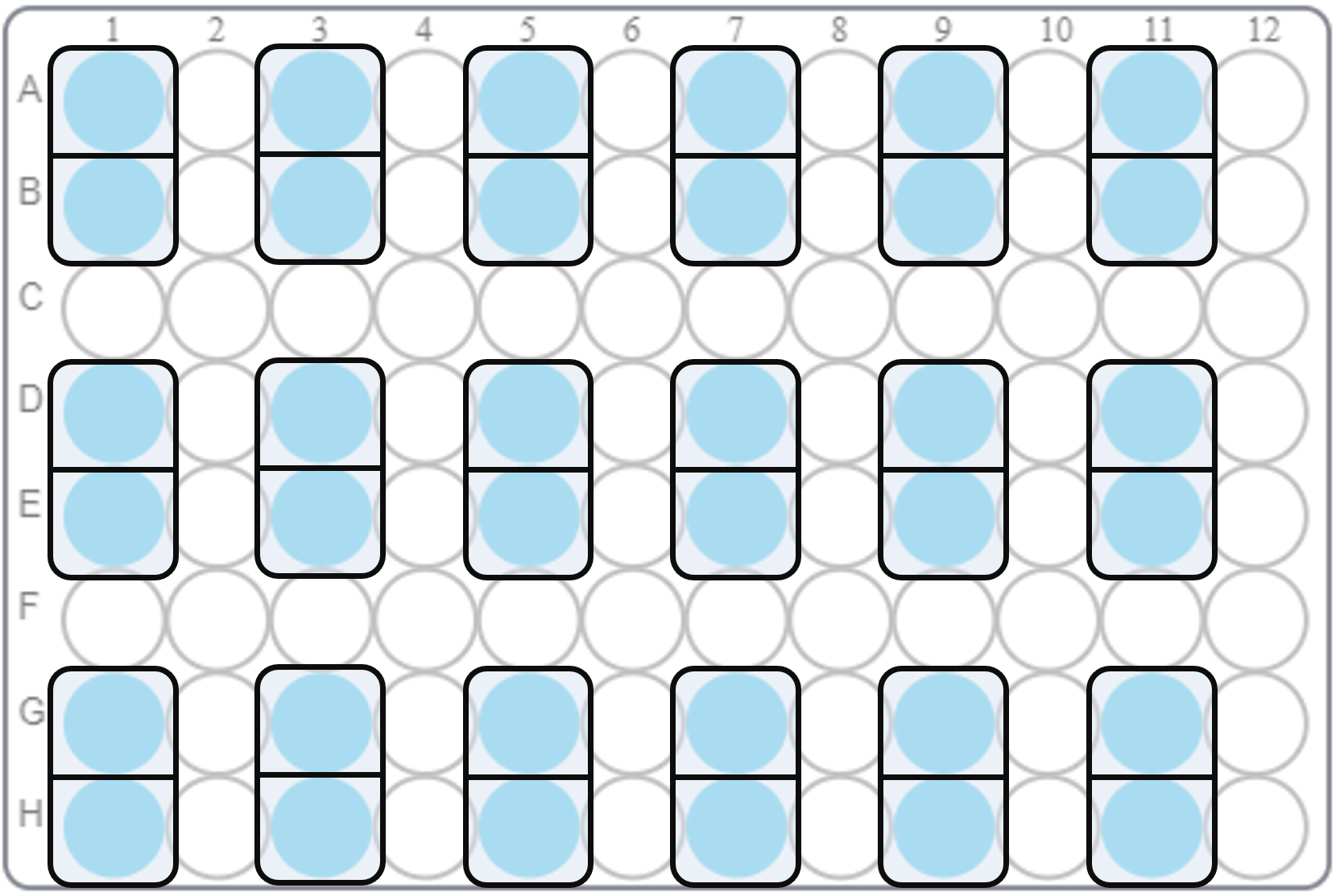
Cerillo plate readers have 96 discrete detectors centered in standard 96-well plates. Reading other plate types is possible, given that the plate being measured has sufficient overlap with the 96 detectors. The detectors used for 6-well, 12-well and Cerillo Co-culture plates are displayed below:
6-Well Plate Detector Mapping
12-Well Plate Detector Mapping
Co-culture Plate Detector Mapping
24-Well Plate Detector Mapping
Cerillo plate readers are sometimes capable of measuring 24-well plates with the following mapping. However, because the geometry of 24-well plates varies, your results may not be usable. Additionally, because the detectors used for some wells are not very close to the center, those results may have systematic error.
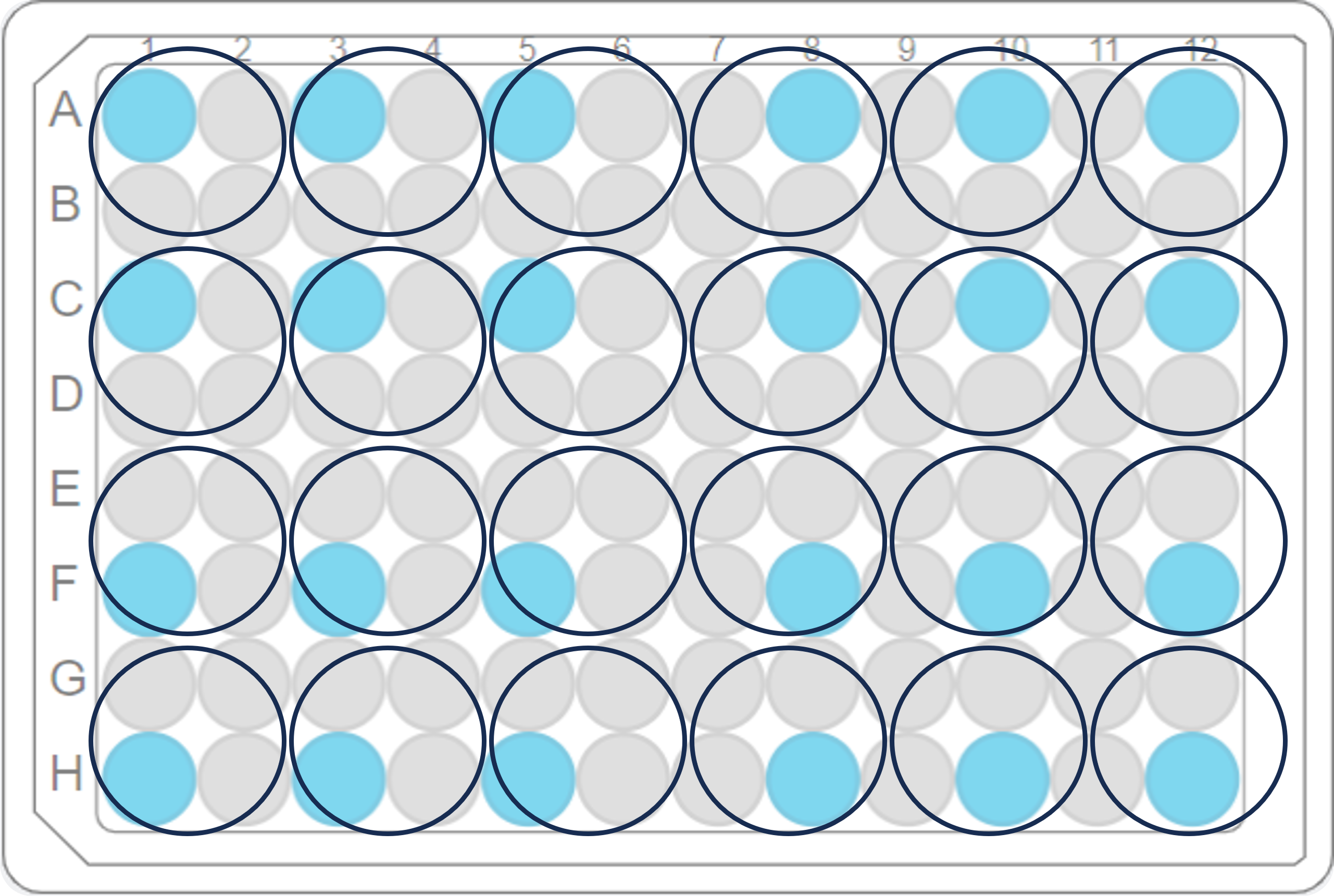 24-well plate templates can be enabled on any device by navigating to the application settings and typing ‘24well’. A checkbox will appear to enable/disable 24-well plate templates. Be advised that the use of 24-well plates in Cerillo plate readers is not recommended because of the well alignment issue mentioned above
Remapping default readings to different plate types
Experiments started with a button press or with the default plate type can be remapped after they have finished from the plate layout dialog. This process will take the detectors for each well in the new plate type, average them, and then show the new plate type for that experiment. The default plate type for Cerillo plate readers is a 96-well plate.
Important
Remapping experiments to different plate types only changes the experiment on your computer, it does not make modifications to the data on the device. So if you move the device to a different computer, the original plate type may still show up.